Giving Every Test Run Its Own Fresh Inbox: Why and How
Kieran Goodary
Why should every test run have its own fresh inbox?
Imagine you’re running end-to-end tests for your sign-up flow. Your test needs to receive a verification email or an OTP. If you reuse the same inbox across multiple test runs, your tests will inevitably become flaky. Why? Because leftover emails from prior runs clutter the inbox, causing parsing messes and false positives.
Giving every test run its own fresh, disposable inbox isolates those emails, so your test only deals with the current batch. It’s like having a fresh notepad rather than scribbling notes on a messy one with leftovers. This simple principle drastically improves test reliability and consistency.
How do disposable inboxes help normal users outside testing?
Outside of engineering teams, disposable inboxes offer users a layer of privacy and control. When you sign up for a new web app, you might get bombarded with marketing emails or worry about data breaches exposing your primary email.
Burnable inboxes let you sign up or try out services without cluttering your real inbox. They give you the freedom to create throwaway email addresses on the fly-no signup required, no inbox pollution. You can test a new newsletter, app trial, or service without associating your personal email to it.
These inboxes also help reduce spam. If you start getting spammy emails on one disposable address, you simply toss it away. Your main inbox stays clean.
Why do product and engineering teams rely on disposable inboxes for email testing?
Testing email workflows is notoriously hard. Emails can arrive late, parsing can break, environments can leak data, and shared testing inboxes cause state bleed. Disposable inboxes solve these problems:
- Create a unique inbox for every run. No bleed.
- Pull emails via API in real time.
- Extract one-time passwords or verification links reliably, without brittle regex.
- Integrate into CI/CD pipelines seamlessly.
This means your test suites become self-contained, repeatable, and less flaky. Automated tests can request fresh emails, parse content, confirm email delivery, and validate links without human intervention.
What’s wrong with shared Gmail inboxes or conventional email testing?
Some teams hack around email testing by reusing a shared Gmail account or dedicated mailbox. This approach has multiple pitfalls:
- Shared inboxes require test isolation via subject line parsing or regex. Regex gets brittle and fails silently.
- Race conditions abound when parallel tests target the same inbox.
- Test results can become flaky due to leftover emails or slow delivery.
- Outbound email service limits and spam filters may throttle or block your automated tests.
The “easier” approach often wastes valuable dev time in debugging tests rather than building features. It’s a technical debt nobody talks about until the tests break at the worst possible time.
How can fresh disposable inboxes be integrated into CI/CD and test automation workflows?
In modern CI/CD pipelines, automation reigns supreme. Imagine integrating a disposable inbox API into your test suite:
- Before a test run, request a fresh, unique email address from the API.
- Use that address to create a user or trigger an email.
- Poll the inbox via API or receive webhook callbacks when emails arrive.
- Extract OTPs or verification links automatically with structured parsing.
- Assert email content to validate processes.
This workflow is typically done in milliseconds to seconds, making it practical even in large parallel test runs.
The beauty here is that tests become deterministic and isolated-they don’t rely on external state or manual email check-ins.
How does OTP extraction work reliably without brittle regex?
Traditional OTP extraction often uses regex to scrape codes from raw email text, which can break if the email design changes, fonts differ, or languages vary.
With an inbox API designed for developers, you get:
- Structured access to sender, subject, headers, and parsed HTML or text parts.
- Webhook notifications when new emails arrive.
- The ability to write more precise extraction code that targets specific email elements.
Some APIs even support selectors or template-based parsing instead of fragile regex. This approach improves reliability and adapts quickly when emails evolve.
What does “making email verification boring and reliable” really mean?
In most applications, email verification is a painful headache: users get stuck waiting for emails, testing teams face flaky tests, and everyone hopes nothing breaks.
Building a workflow that treats emails as just another piece of data rather than a magical black box makes everything boring - and boring means reliable. When your app’s email interaction is completely automated, tested, and isolated:
- Emails arrive predictably.
- Tests validate their content.
- Failures catch genuine bugs rather than noise.
Mail systems become as dependable as your database or API calls. This boring reliability frees developers to ship features rather than babysit flaky flows.
What are practical tips for developers starting to use disposable inboxes for tests?
- Use a reliable disposable inbox API: Find one with API access, webhook support, and real-time search.
- Generate fresh addresses per test: Don’t reuse inboxes or addresses.
- Poll inbox programmatically or use webhooks: Avoid manual email checks.
- Parse emails with structured methods: Avoid brittle regex; prefer HTML parsing, selectors, or templates.
- Integrate inbox creation and deletion in your test setup/teardown hooks: Keep tests isolated.
- Monitor for spam or rate limits: Some services throttle; use dedicated inbox providers meant for automation.
- Improve your test assertions: Confirm subject lines, sender addresses, and email bodies match expectations.
Are there any gotchas when using disposable inboxes?
- Email delivery speed matters: Some disposable providers introduce latency.
- Not all inboxes support advanced email features like attachments or complex HTML rendering.
- Some disposable inboxes get blacklisted by certain services, ironically making email verification harder.
- If you need to test email forwarding or multi-step flows, disposable inboxes work best combined with your full mail system.
Choosing a provider built specifically for CI and dev testing usually avoids these issues.
Wrapping up: why every test run deserves a fresh inbox
If your build pipeline or end-to-end tests interact with email, giving each run its own fresh disposable inbox is more than just a nice-to-have. It’s a foundational practice that turns flaky, stateful tests into reliable, deterministic ones.
This approach protects users’ privacy outside testing while empowering engineering teams to automate email flows confidently. It’s a simple concept with outsized benefits:
- Reduced test flakiness
- Easier OTP extraction
- Real isolation and state management
- Faster CI runs
In short, it’s one of those things that seems trivial until you do it right-and then you never want to go back.
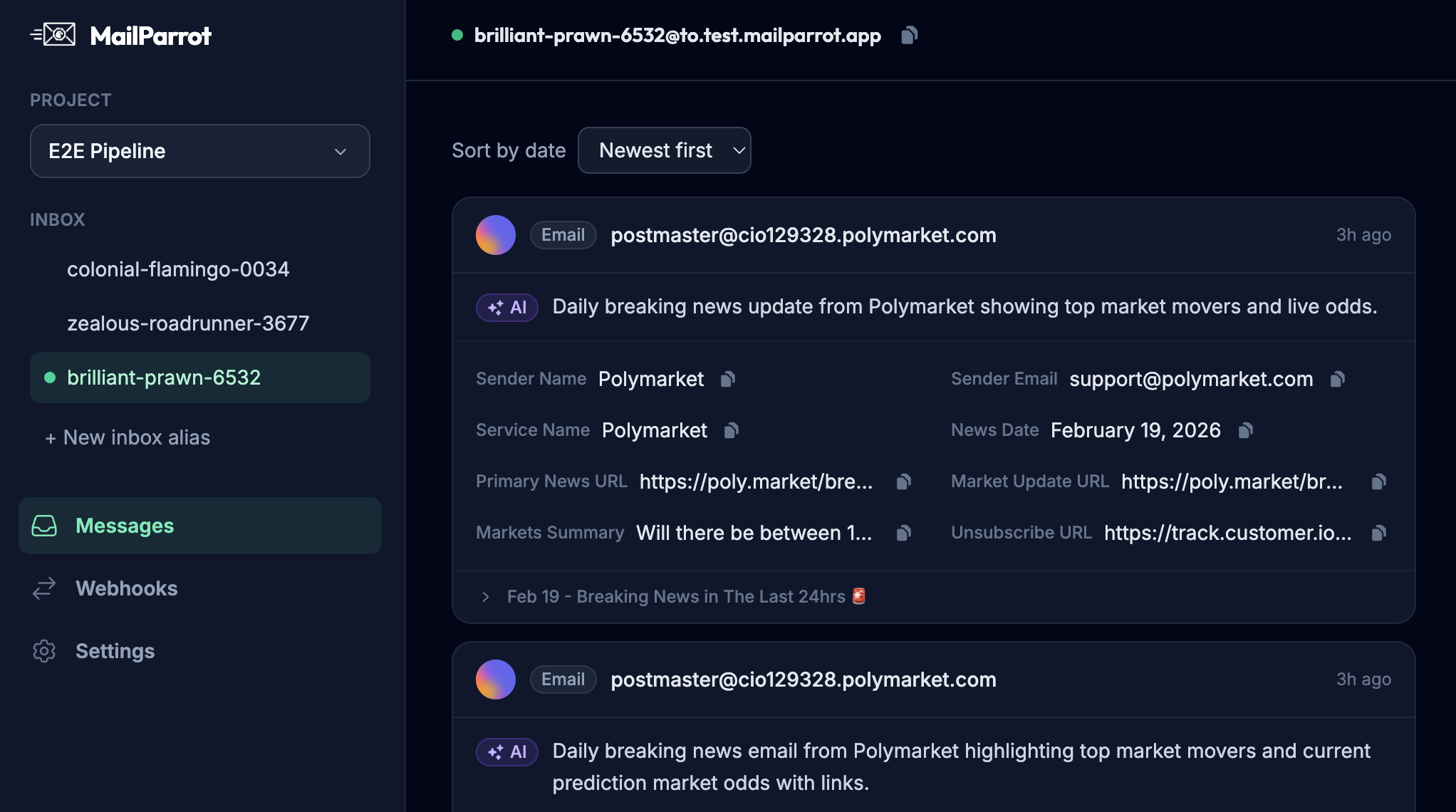
If you want to explore reliable, programmatic disposable inboxes designed for developers and CI, you might want to check out MailParrot and similar services focused on making email testing as boring-and as reliable-as it should be.
Ready to unblock your tests and pipelines?
1,000 free credits with every account-no card required. They don’t expire.
Get started for free