Reducing Support Tickets from 'I Didn’t Get the Code' Issues
Kieran Goodary
Why do users often say 'I didn’t get the code'?
If you’ve worked on authentication flows, you’ve seen this ticket pop up again and again. Users who promise they never received their OTP (one-time password), verification email, or magic link. It’s frustrating for both users and support teams.
The truth is, "I didn’t get the code" can mean a dozen different things. The email might have landed in the spam folder, got stuck in a corporate email filter, was delayed, or never sent due to some backend glitch. It’s rarely just the message magically disappearing in thin air.
Understanding why users face this problem is the first step to reducing those support tickets. It’s a mixture of email deliverability issues, flaky backend integrations, and sometimes the way your system handles code generation and verification.
How do poor email handling systems contribute to code delivery failures?
Many teams rely on sending verification codes via email using off-the-shelf SMTP or third-party transactional services without verifying the full flow end to end. Worse, they sometimes hand-craft fragile regexes or manual parsing scripts to extract codes from emails for testing.
This leads to brittle systems that may generate faulty codes, fail to send emails on time, or produce unreadable messages that confuse users.
Moreover, when retries or delays happen, users get impatient-or worse, try code reuse causing invalidation.
Systems not instrumented for observability compound the pain since developers can’t pinpoint if an email was sent, bounced, or ended up as spam. This opacity leads to guesswork from support and developers, which doesn’t help anyone.
Can disposable inboxes and programmatic email APIs help reduce these issues?
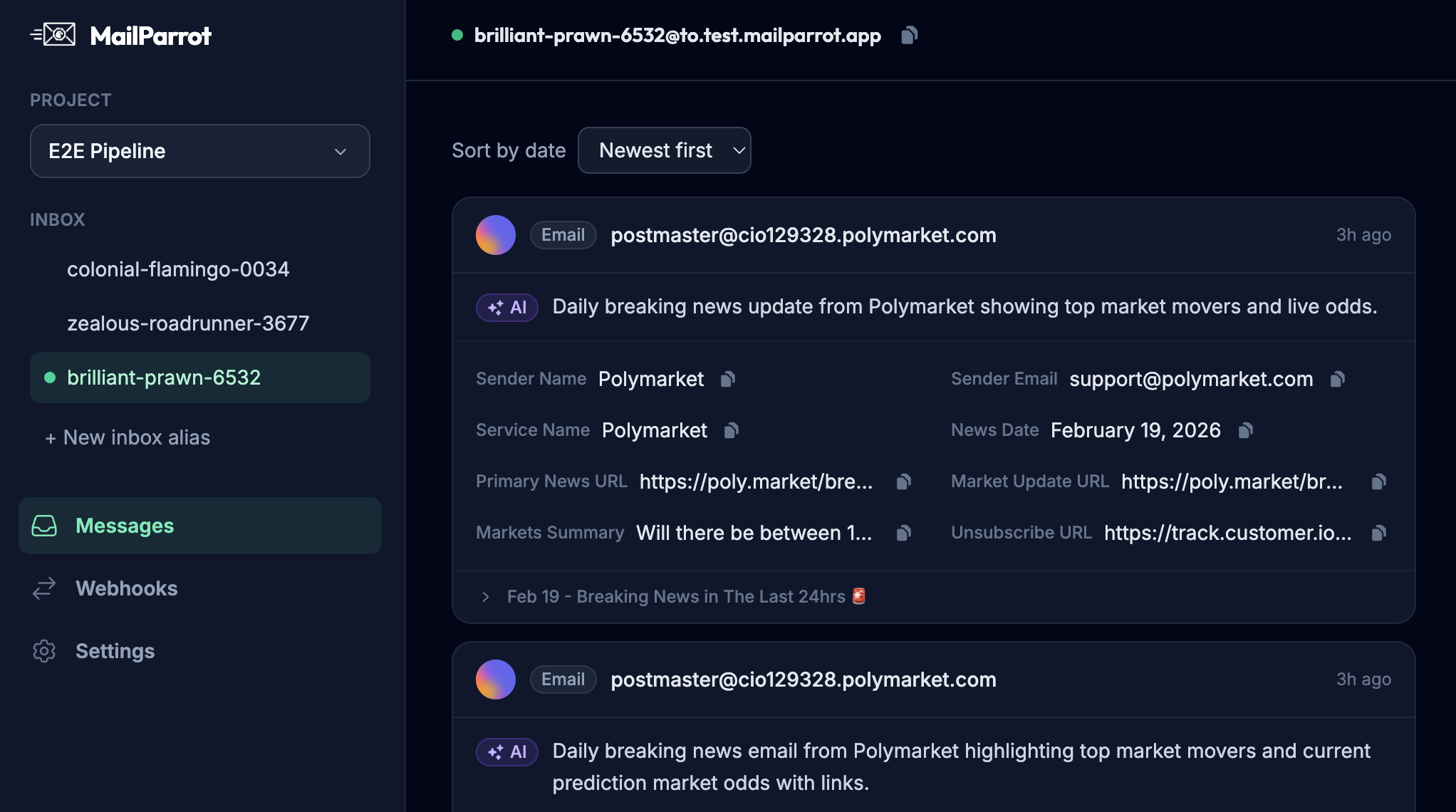
Absolutely. When you have programmatic access to disposable inboxes-essentially temporary, burnable email addresses-you can run automated tests on complete email flows and OTP deliveries. This ensures your system actually sends the right code to the right address.
More importantly, testing with disposable inboxes replicates real user experience far better than sending to a shared mailbox or relying on mock data. You can simulate sign-ups, password resets, and multi-factor auth flows reliably within your CI/CD pipelines.
Using APIs that support advanced parsing of emails and code extraction drastically reduces fragile regex hacks. This means your backend logic, test suites, and monitoring systems can confirm whether the email arrived, if it contained the correct OTP, and if the code was valid for the expected timeframe.
With webhooks and notifications, you gain instant insight when emails fail to deliver, spikes in errors, or unusual delays-all allowing proactive fixes before users even hit support.
What are the risks of using shared Gmail or generic email addresses for testing OTP flows?
Developers often share a Gmail account or generic inbox for testing OTP emails because it’s easy and free. But this approach introduces very sneaky problems:
- Email crowding: Multiple developers send emails to the same inbox, cluttering it and increasing noise.
- Authorization and privacy: Sharing login credentials risks accidental exposure of personal or proprietary information.
- Parsing complexity: Extracting OTP codes becomes harder since emails from various test cases and environments pile up randomly.
- Brittle regexes: Testing environments may change formatting, or you might accidentally scan the wrong email.
- Manual overhead: Someone has to check the inbox and copy codes, making it unsuitable for scalable, automated testing.
All these increase the chance your tests miss real failures or deliver incorrect results-leading to those infamous support tickets.
How can engineering teams automate OTP extraction effectively?
The trick is to treat OTP delivery as another integration test with rigorous programmatic checks.
First, use APIs that give you control over temporary inboxes. Generate a unique disposable email for each test run or session. Then, send your OTP codes there as part of a real signup or password reset.
Next, use robust parsers or built-in OTP extraction features to pull the verification code directly from the email content. Avoid brittle regex patterns by relying on structured metadata or specific patterns enforced by your email templates.
Finally, verify the code programmatically by attempting logins or authentication steps with the extracted value. If this process fails, your CI pipeline will catch it immediately, stopping broken code from shipping.
This turns 'did you get the code?' into a binary yes/no question that computers handle much better than humans.
How does improving email deliverability reduce support issues?
Deliverability is the often overlooked foundation for any email-based auth system. No matter how elegant the code extraction and testing, if emails don’t reach inboxes, users will complain.
To avoid this:
- Send emails from trustworthy domains with proper SPF, DKIM, and DMARC configurations.
- Avoid 'no-reply' addresses; allow replies to keep inboxes healthy.
- Monitor bounce rates and spam reports using provider dashboards or APIs.
- Use email templates optimized for deliverability-not too heavy on images, spammy phrases, or broken links.
Good deliverability means users find their codes quickly and reliably. That cuts down on redundant tickets and frustrated escalations.
What about real users who still don’t receive codes-how can support handle that gracefully?
No system is perfect. Some users will always face local issues: corporate firewall blocks, spam filtering rules, or even typos in their email addresses.
Support teams need real-time visibility into the email sending pipeline:
- Can they verify the user entered a valid email?
- Did the backend send a code? When and to what address?
- Did the email bounce or get flagged?
Equipped with this data, support can guide users appropriately-resend codes, suggest alternate verification methods (SMS?), or escalate genuinely rare errors.
Educating users upfront also helps. Clear messaging like "Check your spam folder" or "Make sure your email address is correct" can reduce confusion and preempt tickets.
How can product teams design verification flows to minimize confusion?
UX is king. Code input fields, timers showing code expiration, and clear success/failure messages make a big difference.
Consider allowing users to request a new code easily without penalizing or locking them out prematurely. Provide visual feedback when emails are sent and offer alternative verification channels if possible.
When things go wrong, error messages like "We couldn’t verify your code. Please try resending." are less mysterious than "Authentication failed."
Finally, collecting telemetry on verification failures, resend attempts, latency, and success rates empowers teams to spot trends and improve continuously.
What’s the bottom line for engineering leaders wanting fewer support tickets?
Make your email verification flows boring and reliable by:
- Automating end-to-end email and OTP testing with disposable inbox APIs.
- Avoiding shared testing mailboxes and brittle parsing methods.
- Optimizing email deliverability with proper domain and content best practices.
- Providing support teams with real-time insight into email delivery status.
- Designing user-friendly verification flows with transparent messaging.
While it may not be glamorous, tackling the humble "I didn’t get the code" complaint head-on saves countless hours across support, DevOps, and product teams. It improves user trust and smooths onboarding-an ROI too good to ignore.
If you build authentication or sign-up flows (that’s basically every app these days), investing in robust email testing and verification infrastructure pays dividends every day.
For more technical tips on email testing and OTP extraction, check out MailParrot -tools built by developers, for developers, who just want email to work.
Ready to unblock your tests and pipelines?
1,000 free credits with every account-no card required. They don’t expire.
Get started for free