Giving Every Test Run Its Own Fresh Inbox: Why and How It Matters
Kieran Goodary
Why should every test run get a fresh inbox?
If you’re still reusing the same email inbox for your tests, you’re introducing unnecessary complexity and risk. Imagine a single inbox as a shared filing cabinet stuffed with letters from previous runs - sorting out which message belongs to which test case is a nightmare. Reusing inboxes can cause flaky tests, false positives, or worse, failures that hide actual bugs.
Having a fresh disposable inbox per test run means clean, isolated data every time. There’s no noise from old emails, no race conditions grabbing the wrong OTP, and no state to manually clear or reset. You basically start with a pristine email environment tailored to that run, which improves test reliability, reduces debugging time, and keeps your CI pipeline sane.
How do disposable inboxes improve testing workflows?
Disposable inboxes are not just about convenience - they transform how you can confidently test email flows. Fields like user sign-up, password resets, two-factor authentication (2FA), and transactional emails all rely heavily on receiving and parsing emails reliably.
Assigning a new inbox per test run means you can run multiple tests in parallel without traffic cross-over. It allows you to extract OTPs or verification links programmatically and immediately. This eradicates brittle Regex hacks that break when email formats change or when multiple similar messages pile up.
You also gain powerful event-driven testing workflows with webhook integrations. As soon as an email arrives in your test inbox, you can trigger validations, move to the next step in your automation, or even record tests for audit purposes.
Can fresh inboxes help with privacy and security during testing?
Absolutely. Using shared or personal Gmail accounts for testing might work for small setups but is a bad idea for privacy and security. Test emails can leak sensitive tokens, invite spam, or clutter your real mailbox. Worse, anyone with access to that shared account could read or interfere with your testing data.
Disposable inboxes are ephemeral and isolated, so sensitive info doesn't linger around longer than needed. Once the test run finishes, the inbox can be discarded, preventing data accumulation and minimizing risk. This practice aligns well with privacy best practices and regulatory compliance - especially when testing sign-up flows involving personal data.
Why avoid shared Gmail accounts and brittle regex parsing?
Using shared Gmail accounts or generic mailboxes feels like an easy shortcut - but it’s a ticking time bomb. These shared inboxes accumulate all test emails over time, making it hard to identify the correct message, which can cause your assertions to fail silently or break unpredictably.
Regex parsing of email content is notoriously fragile. Email formats change, senders add new templating elements, or your test conditions evolve. These issues mean your regex often becomes a maintenance headache, sucking valuable time away from feature development.
Disposable inboxes help you sidestep these traps. They allow you to track the exact email per test run and use reliable structured data extraction or API-driven access rather than brittle text matching. This dramatically reduces churn and keeps your test suites robust.
How do fresh inboxes fit into CI/CD and end-to-end testing?
Continuous integration and deployment pipelines aim to catch bugs early and deliver high-quality releases swiftly. Testing email-based flows in these automated environments is essential yet tricky.
By provisioning on-demand disposable inboxes, you ensure each pipeline run is isolated. No cross-talk, no re-runs tampering with each other’s email data. You can easily handle thousands of inboxes parallelly if needed, supporting large-scale testing scenarios.
Integrating inbox APIs with your CI lets you programmatically check for incoming emails, extract verification codes, and proceed with tests without any manual intervention. That turns what is often a bottleneck into a seamless step of your pipeline.
Ultimately, this means faster feedback, less flakiness, and more confidence that your customer-facing email flows work exactly as intended after every code change.
How do you set up and manage fresh inboxes for tests effectively?
Setting up disposable inboxes for each test run can be straightforward if you use the right tools or APIs. Instead of trying to build this from scratch - which can quickly become a job equivalent to creating an email server - you can rely on inbox testing APIs designed for developers.
A typical workflow looks like this:
- Create a new inbox via API at the test start
- Use the generated email address in your frontend or API requests during sign-up or flow testing
- Listen for incoming emails in real-time through webhooks or polling
- Parse verification links, OTPs, or other data with structured API responses, not regex
- Dispose of or archive the inbox after the test run completes
This approach is clean, fast, and resilient. It also means your tests don’t accidentally influence each other and hover in a predictable, repeatable environment.
What are some practical tips when working with disposable inbox APIs?
While these APIs are powerful, here are some pointers:
-
Automate inbox creation and destruction. Use your test framework or CI scripts to create and delete inboxes dynamically.
-
Use webhooks if available. They push notifications on email arrival instantly - no polling needed.
-
Extract data from structured fields or provided API endpoints. Avoid heavy Regex.
-
Design your tests to be stateless. Each test run should stand alone without relying on shared or leftover state.
-
Secure access tokens and API keys. Treat access to disposable inbox services like any credential - do not hard-code.
-
Consider rate limits and quotas, especially when running large batches or parallel pipelines.
How does fresh inbox testing improve overall product quality?
When your tests don’t fail because someone reused an inbox, or because an OTP wasn’t caught in a deluge of emails, you spend less time chasing phantom bugs. This means faster releases and more stable features in production.
Furthermore, product teams benefit by being able to validate new email templates or flows quickly without manual email checks. Developers gain faster feedback loops and less flakiness in integration tests.
In essence, giving every test its own fresh inbox is an investment in eliminating one of the most annoying flaky elements of testing: email. It makes email verification boring and predictable, which is exactly what you want.
Conclusion
Separate inboxes per test run might sound like extra setup, but it’s one of those small investments with huge payoff when it comes to email-based workflows in testing and CI/CD. You gain isolation, privacy, security, and automation capabilities that reduce flaky tests and save developer time.
If your tests involve email verification, OTP extraction, or transactional email checking, ditch the shared inbox and brittle regex. Embrace disposable inbox APIs for clean, reliable, and scalable testing.
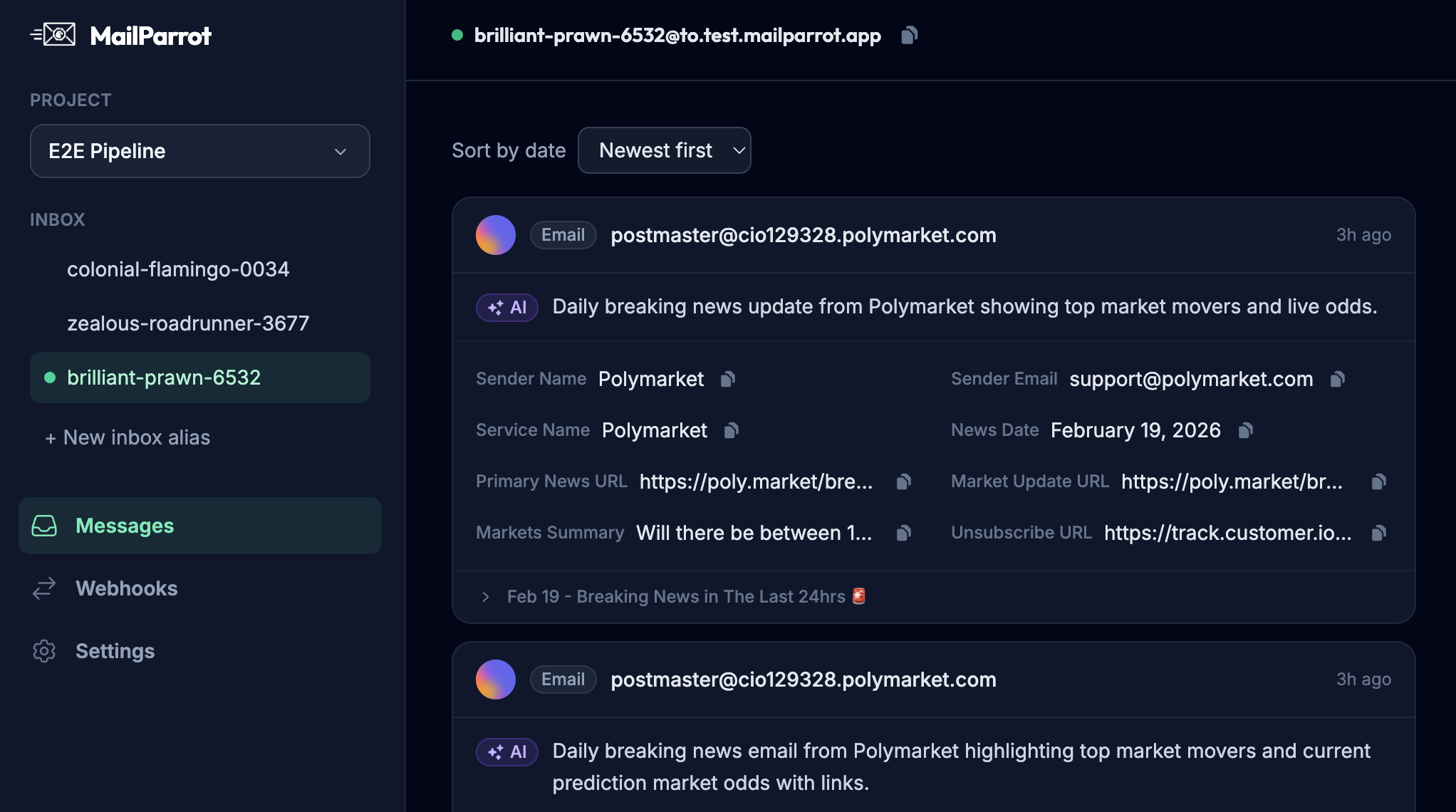
Want to see how this looks in code? Check out MailParrot's API for programmatic disposable inboxes built for CI and developers - a practical way to say goodbye to flaky email tests forever.
Ready to unblock your tests and pipelines?
1,000 free credits with every account-no card required. They don’t expire.
Get started for free