Giving Every Test Run Its Own Fresh Inbox: A Developer’s Guide
Kieran Goodary
Why should every test run have its own fresh inbox?
Imagine you’re running end-to-end tests on your app’s sign-up, password reset, or two-factor authentication flows. Each test relies on receiving emails with tokens, links, or OTPs. Using one email inbox for all tests is like asking a bartender to remember each customer’s drink order while juggling a dozen tables-chaos ensues.
A fresh inbox per test run isolates email traffic, prevents cross-test contamination, and slashes the chance of flaky tests caused by leftover or out-of-order messages. It’s practical hygiene for code-it keeps things clean and predictable.
In other words: separate inboxes make your email-dependent tests more stable, predictable, and easier to trace back to individual runs.
How do disposable inboxes help in real-world testing scenarios?
Reusable inboxes sound convenient until you realize four test runs landed three OTPs each in the same place. Which OTP goes to which test? Were some emails deleted or accidentally read by a concurrent process? All these questions slow you down and make debugging painful.
On the other hand, disposable inboxes, often programmatically created and destroyed, provide fresh mailboxes per test. When your CI pipeline spins up a test, it also creates a brand-new inbox via an API. The test runs, fetches exactly the messages it expects, and tears down the inbox afterward.
This decisively eliminates race conditions, undelivered messages, and “message overlap” bugs. The inbox is tied to the test run’s lifecycle, making results straightforward and confident.
Why is relying on shared or static inboxes (like Gmail) brittle?
Gmail or other shared inboxes are tempting test email targets since they’re free and familiar. But they come with baggage:
- Rate limits: Repeated, automated fetches can strike Gmail’s anti-bot defenses and throttle your tests.
- Unpredictability: Spam or unrelated emails clutter the inbox, making message retrieval complicated.
- Shared state: Parallel test execution means inboxes receive emails out of order or get entangled.
- Authentication hassles: OAuth scopes or 2FA may block automated access in CI environments.
In short, relying on general-purpose inboxes isn’t just inconvenient; it’s inherently fragile and becomes a maintenance nightmare as your test suites grow.
How does a disposable inbox API improve engineering workflows?
Disposable inbox APIs (like MailParrot) offer programmatic control:
- Create inboxes on demand: Your tests spawn inboxes dynamically, each uniquely associated with a test run.
- Fetch emails via API: No manual inbox login needed; messages are fetched as JSON, great for automated parsing.
- OTP and link extraction: Built-in utilities or webhook triggers can automatically extract verification codes or links.
- Webhooks for real-time triggers: Tests don’t have to poll endlessly; they react the moment an email arrives.
This automation cuts test flakiness, reduces false negatives, and speeds up feedback loops in CI/CD pipelines.
How do disposable inboxes enhance privacy and security?
Disposables aren’t just about testing. When real users (or devs on their own projects) utilize temporary inboxes for sign-ups or trials, it prevents unnecessary exposure of personal emails.
This keeps spam off your primary inbox, helps maintain privacy boundaries, and limits risk in case the service you’re trying out mishandles emails.
It’s particularly helpful for developers or testers who frequently sign up and discard accounts during product testing without cluttering personal inboxes. Disposable inboxes act like digital burner phones-no long-term commitment, quick access, and then gone.
What makes email verification "boring and reliable"?
Email verification has long been a pain point-complex regex, timing issues, and flaky third-party providers have turned it into an unreliable chore.
By automating inbox creation, consistent email retrieval via dedicated APIs, and integrating structured OTP extraction, you reduce variability dramatically.
The less your tests rely on unpredictable UI interactions or brittle parsing, the more "boring and reliable" verification becomes. It just works, every time, like clockwork-something you definitely want for your CI.
How do I implement a test suite that uses disposable inboxes?
A typical flow would look like this:
- Create a new inbox via API. Capture the inbox ID or email address.
- Use this disposable email in the test’s sign-up or email flow.
- Wait or listen for incoming emails. Optionally use webhooks to trigger your test code when the email arrives.
- Fetch the email content via API. Parse OTPs, confirmation links, etc., programmatically.
- Complete the test steps that require the emailed token.
- Destroy the inbox or let it expire automatically to clean up.
This pattern scales naturally in CI environments, where you may spawn dozens or hundreds of inboxes per test run, each isolated and short-lived.
Are there any bottlenecks or gotchas when using disposable inboxes?
A couple of considerations:
-
Email delivery speed: Disposable inbox services aren’t magic-sometimes emails get delayed or lost. Choose services with reliable SMTP relay and strong deliverability.
-
API limits: High-concurrency testing can bump against rate limits. Plan accordingly or use providers that scale.
-
Security: Don’t use disposable inboxes for sensitive, high-security operations in production flows.
-
Parsing complexity: While APIs help, email formats vary. Use robust parsing or libraries that handle HTML, MIME, and various encodings.
How does using disposable inboxes impact test maintenance in the long run?
It greatly simplifies maintenance. When each test run is contained and independent, it’s easier to spot why a test failed-no noise from unexpected old emails or inbox state confusion.
Your test suites become more predictable and less brittle, reducing developer frustration and time spent debugging.
Furthermore, APIs and SDKs that support disposable inboxes usually evolve and provide new features like better webhook handling, improving your testing workflows over time.
Conclusion: Should you give every test run its own fresh inbox?
If your product relies on email for user flows, verification, or any form of communication, some form of disposable inbox testing is almost mandatory for reliable CI/CD pipelines.
The gains in stability, traceability, and operational simplicity far outweigh the initial setup effort. Plus, it spares you from wrestling shared inbox chaos or brittle regex code.
So go ahead-stop sharing inboxes between test runs and embrace fresh, disposable inboxes. It’s a small investment for a huge payoff in developer sanity and product quality.
If you'd like to explore disposable inbox APIs and see some implementation examples, check out MailParrot for developer-friendly inboxes built with testing in mind.
Ready to unblock your tests and pipelines?
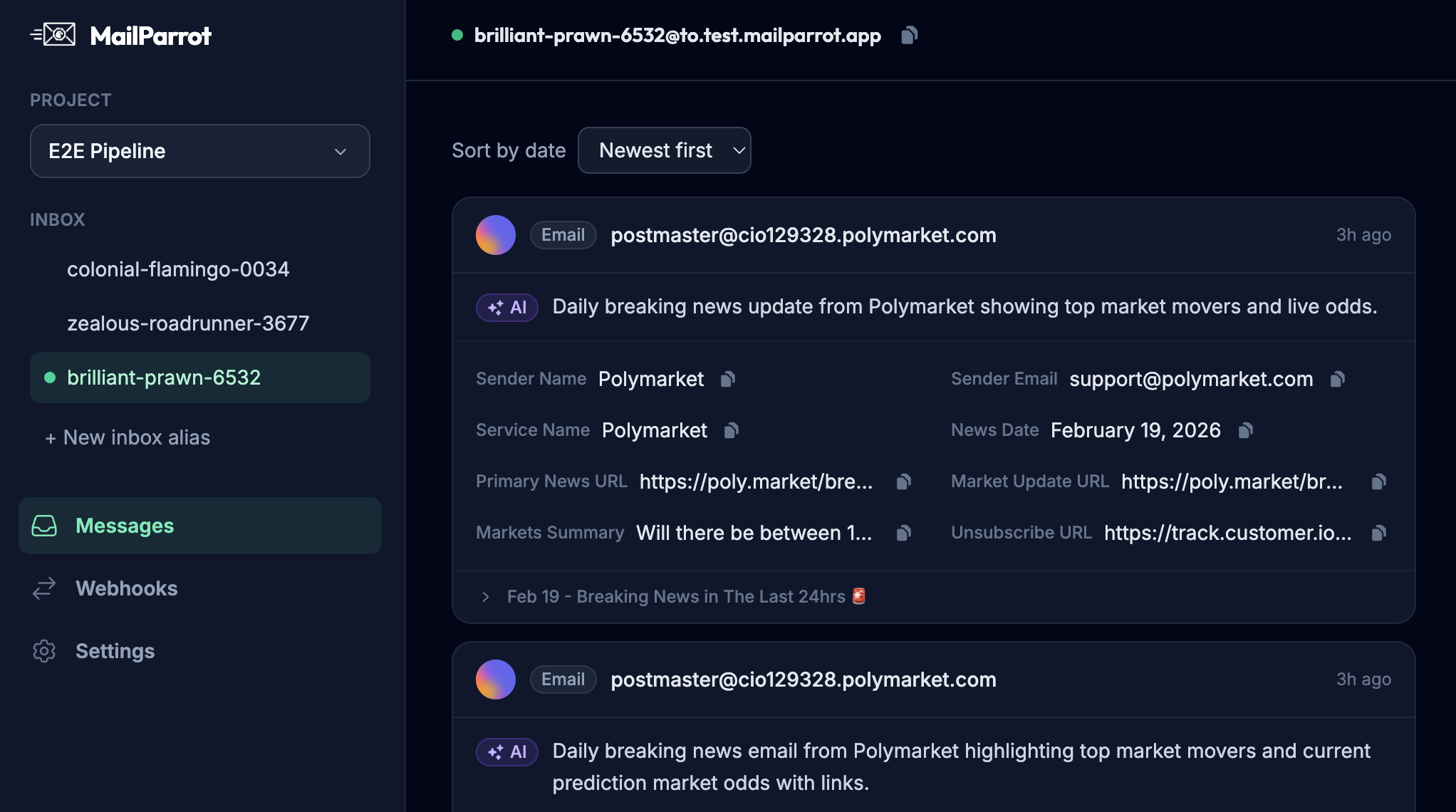
1,000 free credits with every account-no card required. They don’t expire.
Get started for free